


DeepL Translate
4.72.94K Reviews
App Specs
- Version
- 26.34
- Updated On
- License
- Free
- Downloads
- 10,000,000+
- Developer
- DeepL SE
- Categories
- Books & Reference
- Platform
- Android, iOS
Screenshots
 Analysis by AppCompare
When I need to understand a sentence in another language, I want a translation that gives me a useful sense of what it means, not just a word-for-word substitute. That’s the appeal of DeepL Translate: it is a translation app from DeepL SE, and I find it most helpful as a quick reading and writing companion rather than as a replacement for careful human judgment.
Trust starts with knowing what you are translating
A translation app can make unfamiliar text feel easy to handle, but the content itself still matters. I’m comfortable using a tool like this for a restaurant menu, a public notice, or a message whose meaning I need to grasp. I’m more cautious with private conversations, identity details, financial records, or work documents that should not be shared casually with any online service. That distinction is worth making before pasting text, whatever translator you choose.
For me, the practical question is not whether a translation sounds fluent, but whether I can safely use the text in this context. If a result will guide a medical decision, settle a contract, or carry an important personal commitment, I treat it as a starting point and ask someone competent in the language to check it. A smooth sentence can still miss a qualification, tone, or specialized meaning.
What I can check before relying on it
The app is free, has an Everyone age rating, and its current version is 26.22. It requires Android 8.0 or later. Those details help me decide whether it fits my device and situation, but they do not answer every question about handling sensitive text. I avoid assuming that a particular permission, account setting, or privacy control exists unless I can see it in the app and understand what it does.
My habit is simple: before translating anything personal, I look at the choices currently presented in the app and consider whether the text needs to be entered at all. I remove names and other identifying details when they are not needed to understand the sentence. For a short phrase, I can often replace a person’s name with a neutral word and still get the help I need. This is a small step, but it keeps the task focused on meaning rather than exposing more information than necessary.
Getting Started with DeepL Translate
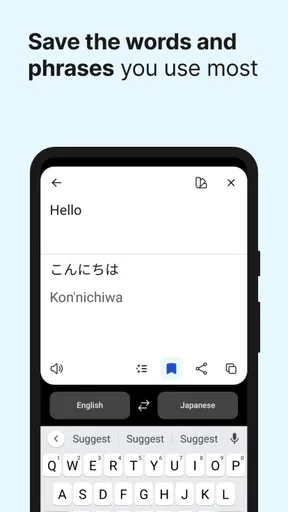
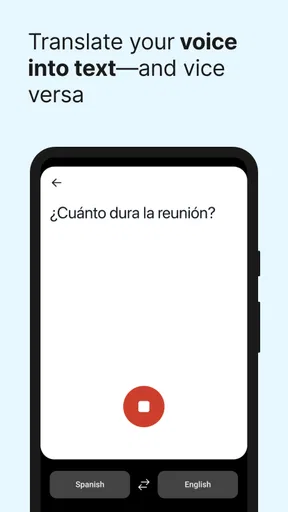
The first time I opened DeepL Translate, I was greeted with a clean, simple interface. No bells and whistles, just a straightforward layout that makes translating a breeze. You can easily toggle between languages, and the app supports a wide range of them, from Spanish and French to Japanese and Russian. It's perfect for both quick translations and more in-depth text conversions.
Features That Stand Out
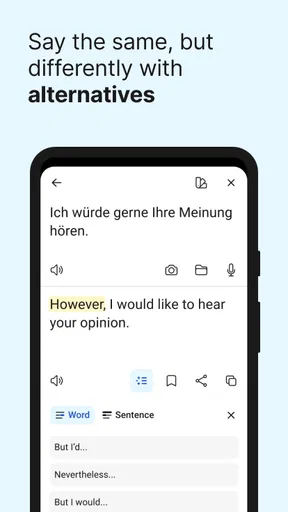
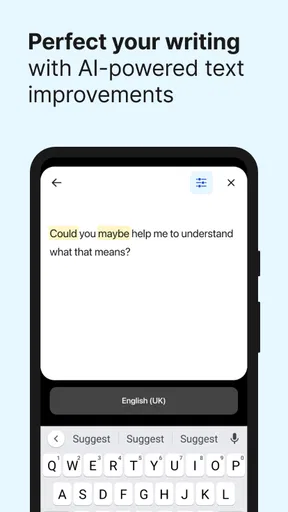
One of the things that caught my eye was the app’s ability to handle nuanced phrases and idiomatic expressions. You know those tricky phrases that don’t translate well? DeepL Translate tackles them with ease, providing translations that actually make sense in context. It's like it has a little bit of human touch in its algorithms.
Worth Reading Before You Choose

Switching to Android Auto Means Rethinking Your Driving Routine

Google Calendar Makes a Crowded Week Easier to Manage

Baby Panda World Brings Quick Play to Modern Phones, but Its Game Library Feels Busy

ESPN’s Live Game View Makes Following Close Games Easier

QuizzLand Review: A Good Fit for Short Trivia Breaks, Not Every Player

Basketball Stars: Multiplayer Is Fast, but Can It Recover When Matches Go Wrong?
Another feature that’s really neat is the app’s integration capabilities. You can easily share text from other apps into DeepL, making it super convenient when you’re browsing or reading something and need a quick translation. Plus, if you’re using it on Android or iOS, it syncs beautifully across devices.
User Experience and Interface
Let’s talk about the user experience. The interface is intuitive, with a minimalistic design that prioritizes function over form. Everything is where you’d expect it to be, and you won’t find yourself hunting around for options or settings. For those of you who love dark mode, you’re in luck! DeepL has got you covered.
What’s more, the translations are lightning-fast. There’s no lag, which is a huge plus if you’re in a hurry or dealing with lengthy texts. I tested it with everything from simple sentences to complex paragraphs, and it handled them all without breaking a sweat.
How I use it in ordinary situations
Imagine I’m travelling and receive a message from a host about where to collect a key. I can share the text into the translator, read the result, and then check the original sentence again before replying. That last step matters: if the message includes a time, location, or instruction, I look for those details in the source rather than relying only on a polished translation. For casual logistics, that workflow is quick and practical.
For study, I get more value by translating a paragraph after I have tried to understand it myself. I compare the result with my own reading, then note which phrase or construction I missed. Translating every line immediately can make reading feel easier while teaching me very little; using the app after a first attempt turns it into a useful check instead of a shortcut.
It also suits people who read foreign-language articles, product instructions, or public information and want a fast sense of the whole passage. It is less suitable when the task depends on exact legal wording, literary voice, or a specialist term whose meaning changes by profession. In those cases, I would use a qualified human translator or a trusted subject-specific reference, then use an app only to help orient myself.
Small habits that improve the result
When a sentence comes out strangely, I don’t immediately assume the translation is wrong. I check whether the original is an incomplete fragment, contains a typo, or depends on context that was left out. A short phrase can be ambiguous even to a fluent speaker. Adding the surrounding sentence, when it is appropriate to share, may clarify what the words refer to; for sensitive material, I instead rewrite the request in a less identifying way.
I also avoid judging a translation by one attractive sentence alone. For an important message, I look back at names, dates, negations, and words that express uncertainty or obligation. These are easy places for a misunderstanding to matter. If I can, I make a draft reply in plain language and translate that, rather than trying to compose a complicated sentence with idioms I would not normally use.
Compared with a dictionary, DeepL is more convenient when I need a sentence or paragraph in context; a dictionary is often better when I want to study one word’s range of meanings and usage. Compared with asking a bilingual person, the app is faster and available for routine reading, while a person can ask follow-up questions and notice social nuance. I see those approaches as complementary, not interchangeable.
Who will get the most from it
I’d recommend it to travellers handling everyday text, language learners checking their own attempts, and readers who regularly encounter material in languages they do not speak well. The Books & Reference category is a natural fit: the useful part is often making a text accessible enough to keep reading, not producing a publication-ready translation. Its broad language coverage makes it handy when your needs are not limited to one familiar language pair.
Someone who only translates an occasional word may find a browser’s built-in translation or a dictionary more convenient. A person who needs certified, confidential, or technically exact translation should not treat a consumer app as the final authority. And anyone who is not comfortable entering a particular passage should choose another method, such as asking the sender for a simpler explanation or consulting a trusted person.
Why You Should Give It a Go
If you’re someone who often finds themselves in need of reliable translations, DeepL Translate is a game-changer. It’s like having a professional translator in your pocket, ready to help whenever you need it. Whether you’re traveling, studying, or working with international partners, this app can be your go-to tool.
And here’s a little tip: if you’re learning a new language, use DeepL to check your work. Translate your sentences and see how they hold up. It’s a great way to improve your skills and confidence in a new language.
Its place among translation options
There are plenty of ways to bridge a language gap: a bilingual friend, a dictionary, a browser translation tool, or another translation app. I reach for DeepL when I want a readable rendering of connected text and do not want to interrupt what I am doing. I reach for a dictionary when precision about a single word matters, and for a person when tone, cultural context, or a consequential decision needs discussion.
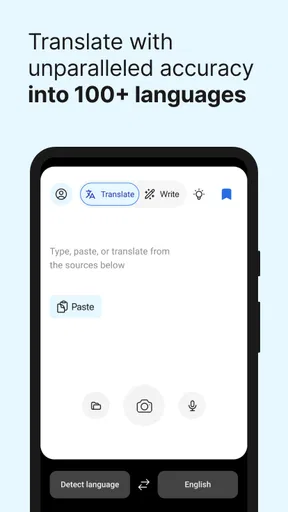
The app’s store summary describes translation into more than 100 languages, and its audience is substantial: it has over 10 million installs and a 4.7 average from around 412,000 ratings. Those figures suggest that many people find it useful, but they are not a guarantee that every language pair or sentence will suit my needs. I judge it by the text in front of me and the consequences of getting that text wrong.
A cautious verdict
DeepL Translate is free, and I think it earns a place on a phone if translation is a recurring part of your day. Its strongest role is helping me get oriented quickly, check my own language work, and keep moving through ordinary reading. I would not let convenience blur the line between understanding the gist and verifying a consequential detail.
Overall, DeepL Translate is an impressive app that delivers on its promises. It’s efficient, accurate, and user-friendly, making it a must-have for anyone in need of translation services. So why not give it a try? Jump into the world of seamless translations and see how it transforms your language experiences.
Ready to dive in? Head over to your app store and download DeepL Translate. You won’t regret it!
Pros
- High translation accuracy and nuance.
- Supports multiple languages seamlessly.
- User-friendly interface design.
- Fast text and document translation.
- Offline mode for mobile use.
Cons
- Limited free version features.
- Subscription required for full access.
- Occasional rare language errors.
- No voice translation support.
- Can be data-heavy for mobile users.
FAQs for DeepL Translate
What languages does DeepL Translate support?
DeepL Translate offers support for a wide range of languages, including English, German, French, Spanish, Italian, Dutch, Polish, Russian, Portuguese, and more. The app is regularly updated to include new languages, making it an excellent choice for users needing translations across multiple languages for personal or professional use.
Is DeepL Translate free to use?
DeepL Translate offers both a free and a paid version. The free version provides access to basic translation features, while the paid version, DeepL Pro, offers enhanced features such as unlimited text translation, faster processing, and access to the translation API. Users can choose based on their needs and budget.
How accurate are the translations provided by DeepL?
DeepL is renowned for its high-quality translations, often outperforming other translation apps in terms of accuracy and contextual understanding. It uses advanced AI and neural networks to deliver translations that are not only accurate but also natural-sounding. However, as with any translation tool, some nuances may still require human verification.
Can DeepL Translate handle large documents?
Yes, DeepL Translate can handle large documents. The app allows users to upload documents for translation, supporting formats like .docx, .pptx, and .pdf. This feature is especially useful for professionals and businesses needing to translate lengthy documents quickly and accurately. However, file size limits may apply in the free version.
Is my data secure when using DeepL Translate?
DeepL takes user privacy seriously and employs robust encryption to protect your data. For DeepL Pro users, the app guarantees that texts are not stored permanently. Moreover, the company adheres to strict data protection regulations, ensuring that your sensitive information remains confidential and secure during translation.


